How Much Does Downtime Cost Your Startup? (The Real Numbers)
Downtime costs startups revenue, trust, and SEO rankings. Learn the real cost of outages and how fast alerting can minimize the damage.
“It was only down for 20 minutes.”
That sentence has cost startups more money, more customers, and more reputation than most founders realize. Downtime isn’t just a technical problem — it’s a business problem with a price tag that scales with your growth.
Let’s look at the real numbers.
The Direct Cost: Lost Revenue
The math is simple. If your SaaS generates revenue while it’s running, it stops generating revenue when it’s down.
Example calculation:
- Monthly Recurring Revenue (MRR): €10,000
- That’s roughly €333/day, or €14/hour
- A 2-hour outage = €28 in direct lost revenue
Sounds small? Scale it up:
- At €50,000 MRR: 2 hours of downtime = €139
- At €100,000 MRR: 2 hours = €278
And that’s just the direct revenue loss. The indirect costs are much higher.
The Indirect Costs (The Expensive Ones)
Customer Churn
According to a 2023 study by Dimensional Research, 80% of users said they would switch to a competitor after experiencing repeated outages. Even a single prolonged outage can trigger enterprise customers to start evaluating alternatives.
If a customer paying €200/month churns because of a bad outage, that’s €2,400/year in recurring revenue — gone.
Support Ticket Surge
During an outage, support tickets spike. If you don’t have a public status page communicating the issue, every affected user contacts support individually.
A 1-hour outage for a SaaS with 1,000 users might generate 50-100 support tickets. At an average handling cost of €5-10 per ticket, that’s €250-1,000 in support costs alone.
SEO Impact
Google’s crawlers don’t wait for your site to come back. If Googlebot encounters a 5xx error during a crawl, it:
- Reduces your crawl rate
- May temporarily de-index affected pages
- If outages are frequent, may reduce your overall crawl budget
For a startup relying on organic traffic, even a temporary ranking drop can cost weeks of recovery.
Trust and Reputation
This is the hardest to quantify but often the most expensive. In competitive SaaS markets, reliability is a feature. When a potential customer is comparing you to a competitor and sees your status page showing recent incidents, that comparison just tipped — regardless of your feature set.
The Time-to-Detection Problem
Here’s what makes downtime truly expensive: most startups don’t know they’re down until a customer tells them.
Without monitoring, the typical incident timeline looks like this:
- 00:00 — Service goes down
- 00:15 — First user notices
- 00:30 — User sends support email
- 00:45 — Support ticket gets triaged
- 01:00 — Developer gets notified
- 01:15 — Developer starts investigating
- 01:45 — Root cause identified
- 02:00 — Fix deployed
Total downtime: 2 hours. But the service was actually down for the full 2 hours because nobody knew for the first hour.
With monitoring and alerting, the same incident looks like this:
- 00:00 — Service goes down
- 00:01 — Monitoring detects the outage
- 00:01 — Slack/Email alert sent to on-call developer
- 00:05 — Developer starts investigating
- 00:35 — Root cause identified
- 00:50 — Fix deployed
Total downtime: 50 minutes. Detection happened in 1 minute instead of 45 minutes.
What Good Incident Response Looks Like
Fast detection is only part of it. A good incident response system includes:
1. Monitoring with Classification
Not all incidents are the same. An SSL certificate expiry is different from a DNS failure is different from a server crash. Tools that classify incidents (like FoundersDeck’s automatic error classification — SSL, DNS, timeout, HTTP) help you diagnose faster.
2. Multi-Channel Alerting
Email alerts are fine — until you’re not checking email at 2 AM. Multi-channel alerts (Slack, Discord, Webhooks) ensure the right person gets notified immediately, on the channel they’re actually watching.
3. Public Status Page
A status page communicating the issue reduces support tickets by 30-50% during an outage. Instead of 100 users emailing you, they check the status page and see you’re already on it.
4. Incident History
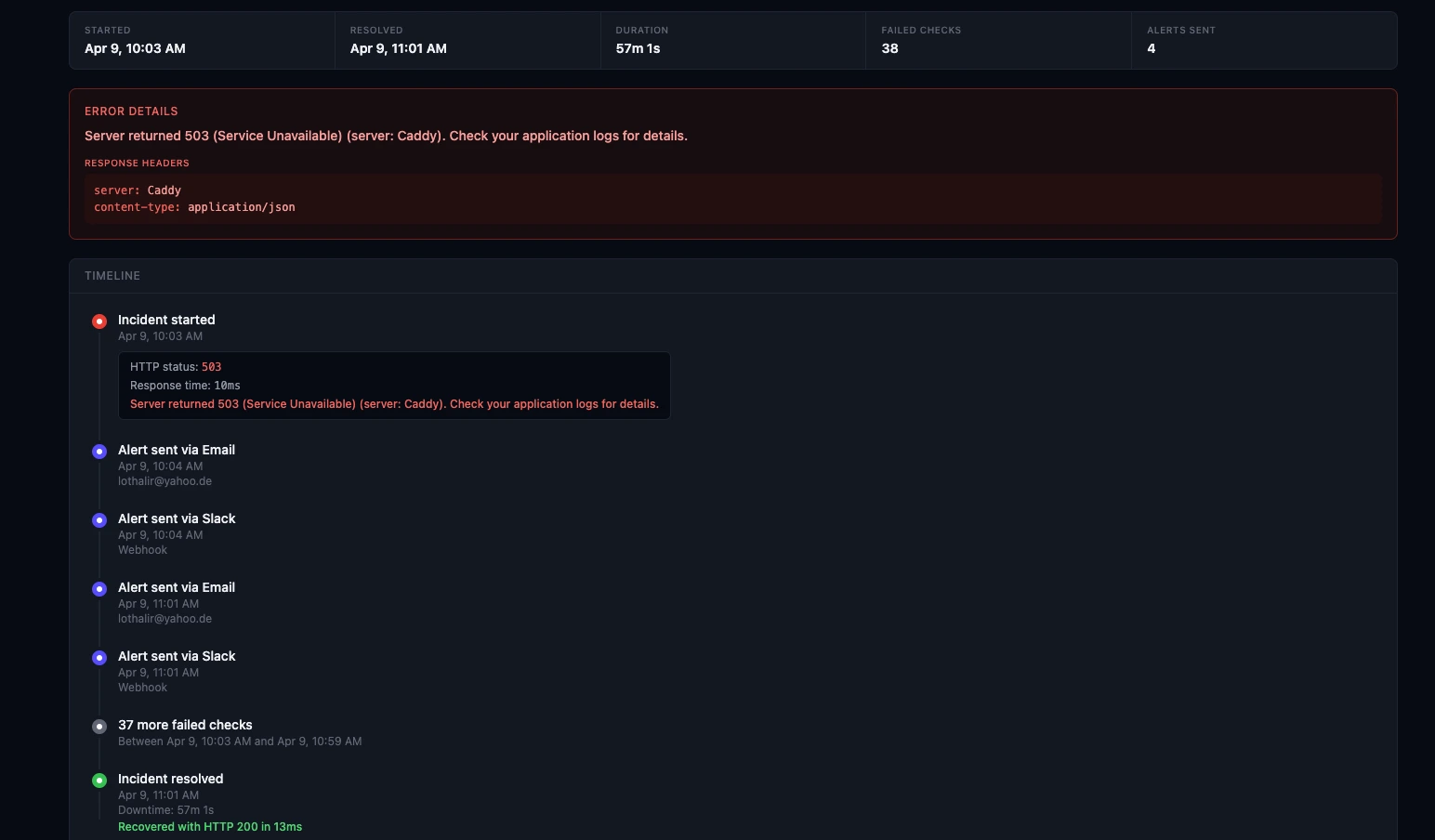
After the incident, having a complete timeline — when it started, what alerts were sent, when it was resolved — helps with postmortems and customer communication.
The Cost of NOT Monitoring
Let’s put it together:
| Cost Factor | Without Monitoring | With Monitoring |
|---|---|---|
| Time to detection | 30-60 minutes | 1-2 minutes |
| Average downtime per incident | 2+ hours | 30-60 minutes |
| Support tickets during outage | 50-100 | 10-20 (with status page) |
| Customer communication | Manual, delayed | Automatic via status page |
| Postmortem data | Incomplete | Full incident timeline |
A monitoring tool that costs €9-19/month can prevent thousands in lost revenue, support costs, and customer churn.
Start Today
Downtime is inevitable — even the biggest companies go down. The difference is how fast you detect it, how well you communicate it, and how quickly you resolve it.
If you don’t have monitoring yet, here’s how to set up a status page in 5 minutes. And if you’re evaluating tools, check our roundup of the best GDPR-compliant monitoring tools.
Don’t wait for a customer to tell you your site is down.

Engin Yildirim
Founder of FoundersDeck. 13+ years in software engineering. Building EU-first tools for founders.
Read more about me →